Configuración en 2 minutos
Comienza a usar Porda AI en menos de 2 minutos. Elige tu plataforma a continuación para obtener instrucciones paso a paso.
Configuración de la extensión de Chrome
6 pasos rápidos para activar el desenfoque en tiempo real de contenido no deseado en tu navegador
Visit Chrome Web Store & Click Add to Chrome

Open the Chrome Web Store page for Porda AI Extension and click the blue 'Add to Chrome' button.
Make sure you are logged into your Chrome account for seamless installation.
Confirm Extension Installation
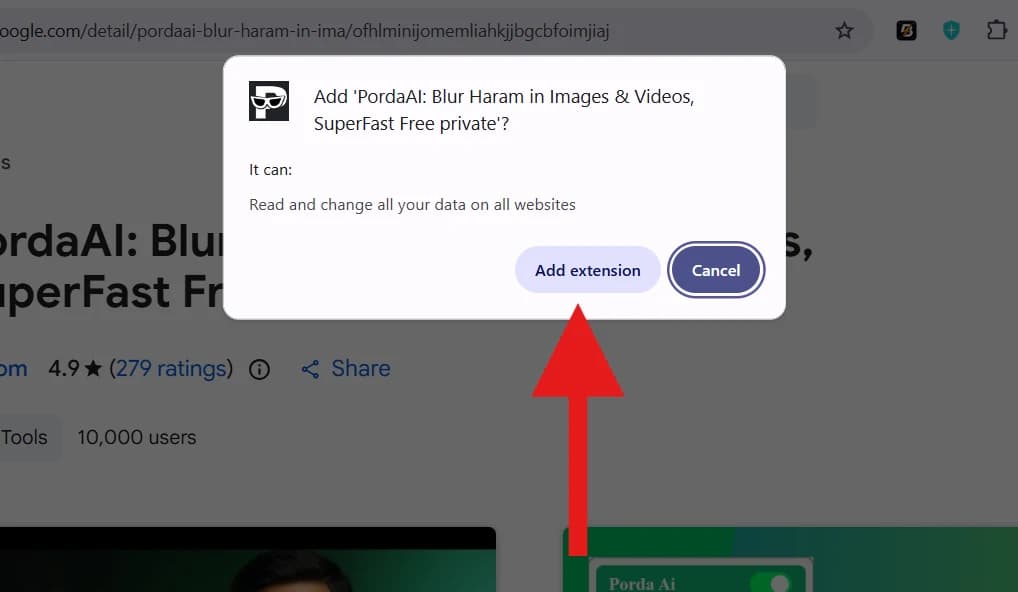
When the browser prompt appears asking for confirmation, click 'Add extension' to finish adding Porda AI.
Porda AI operates 100% locally on your machine with zero data collection.
Pin Extension to Toolbar
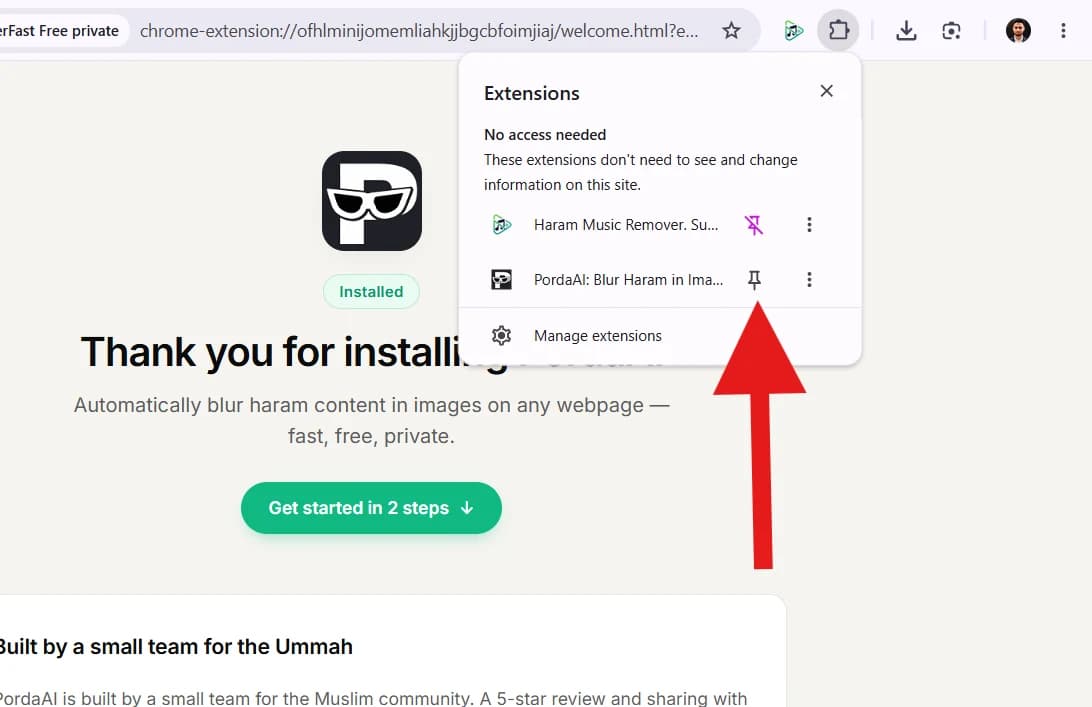
Click the puzzle (extensions) icon in your browser toolbar, find Porda AI, and click the pin icon to keep it visible.
Pinning makes it easy to quickly check protection status anytime.
Open Popup & Check Protection Status
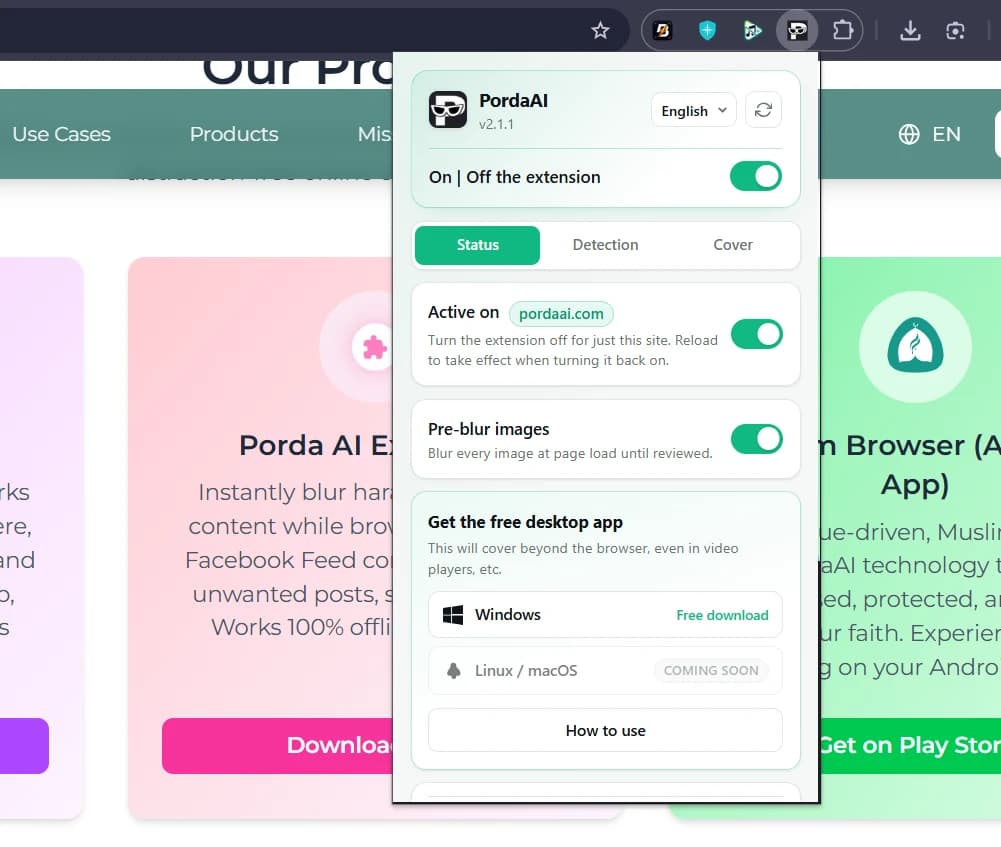
Click the Porda AI icon in your toolbar to open the Status panel. You can toggle global protection ON/OFF, site protection, or pre-blur images.
Toggle protection on or off for specific websites with a single click.
Customize Cover & Masking Style
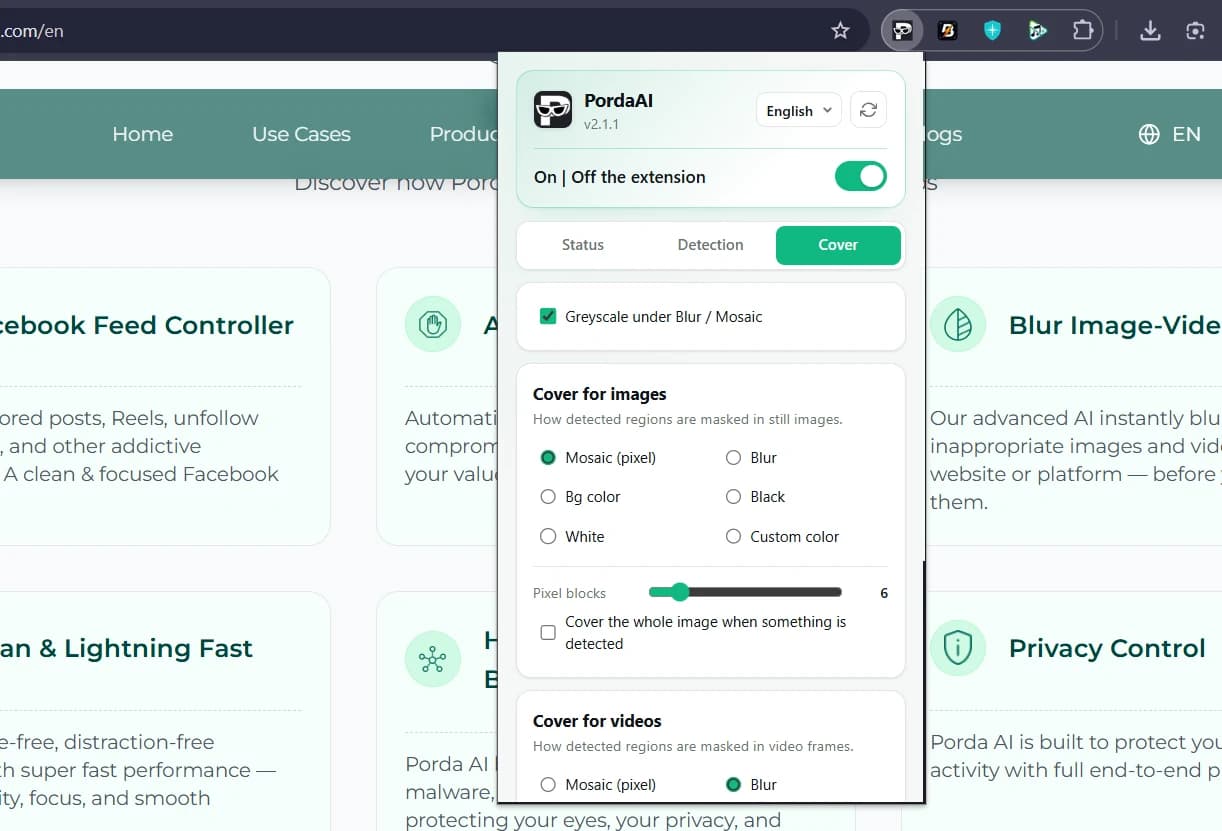
Switch to the Cover tab to select your masking style: Mosaic (pixelated), Blur, Bg color, Solid Black/White, or Custom colors for images & videos.
Choose Mosaic or Blur based on your viewing comfort.
Active Protection & Detection Settings
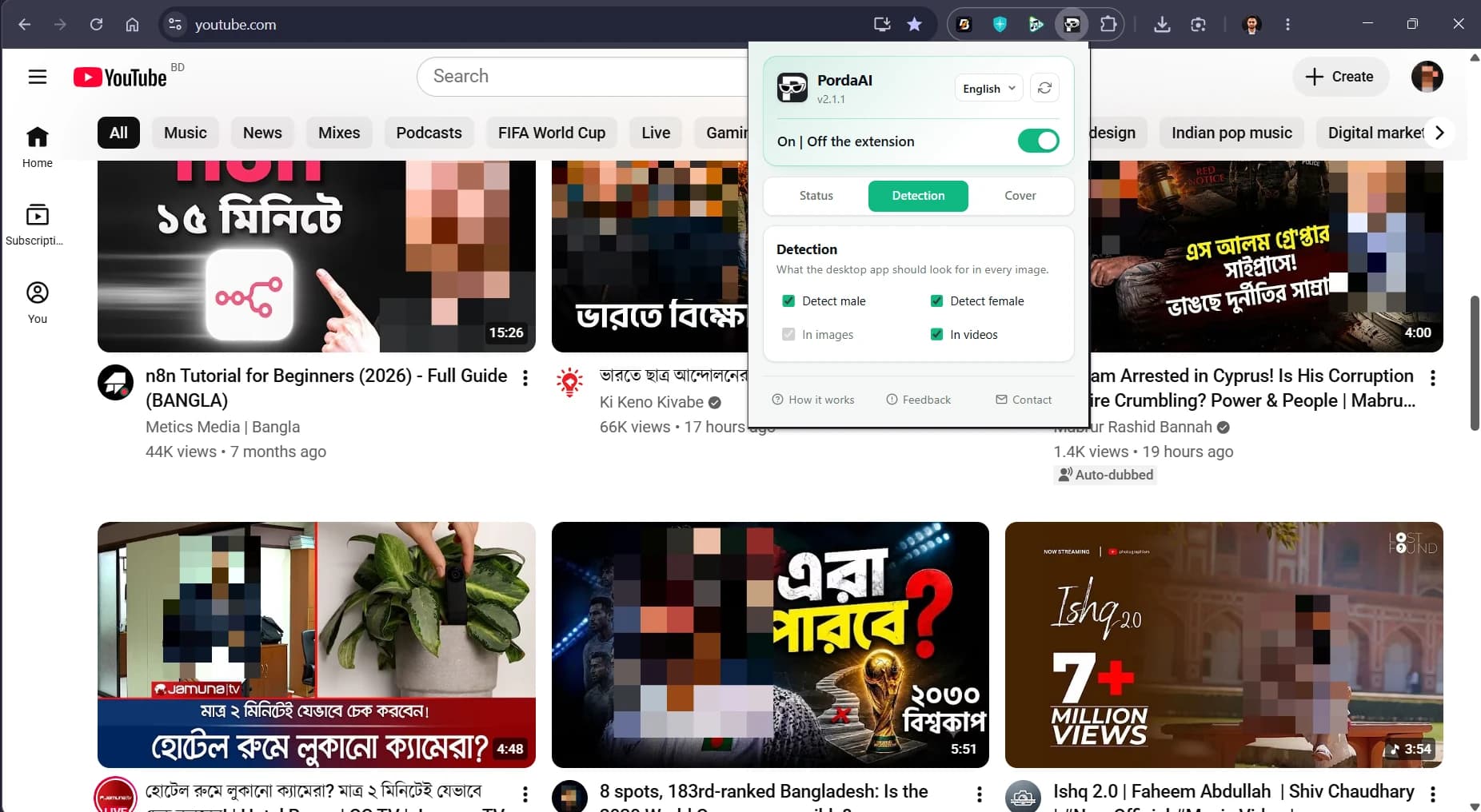
Porda AI will automatically blur haram and NSFW content in real-time on websites like YouTube. Use the Detection tab to filter Male/Female classes in images & videos.
Sit back and browse safely with real-time AI modesty protection!
¿Listo para proteger tu vida digital?
Descarga Porda AI hoy y experimenta una navegación por Internet limpia y sin distracciones.