2分钟快速设置
在不到2分钟的时间内开始使用 Porda AI。请在下方选择您的平台查看分步说明。
Chrome 扩展程序设置
只需6个快速步骤,即可在浏览器中开启实时不良内容模糊保护
Visit Chrome Web Store & Click Add to Chrome
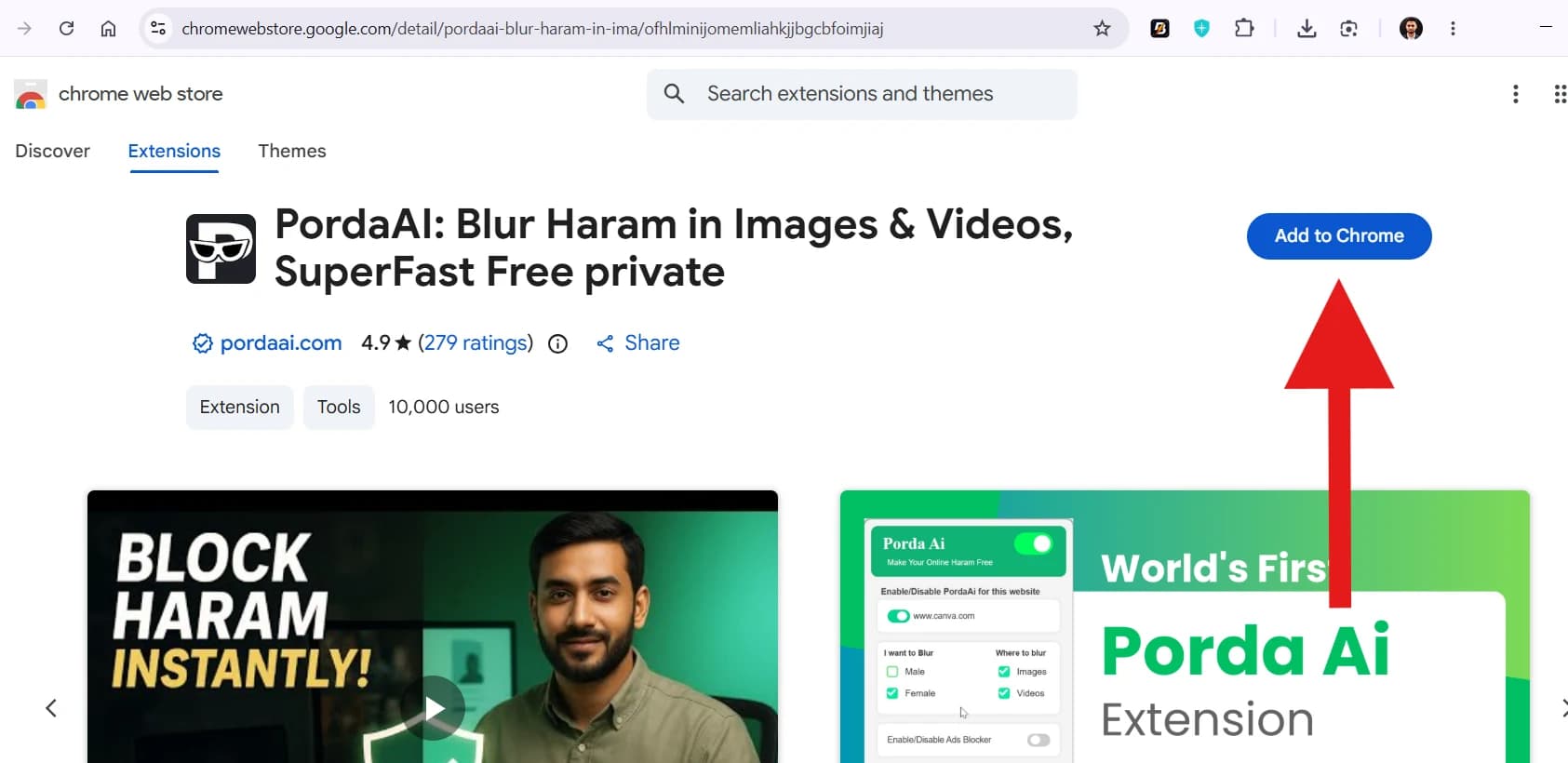
Open the Chrome Web Store page for Porda AI Extension and click the blue 'Add to Chrome' button.
Make sure you are logged into your Chrome account for seamless installation.
Confirm Extension Installation
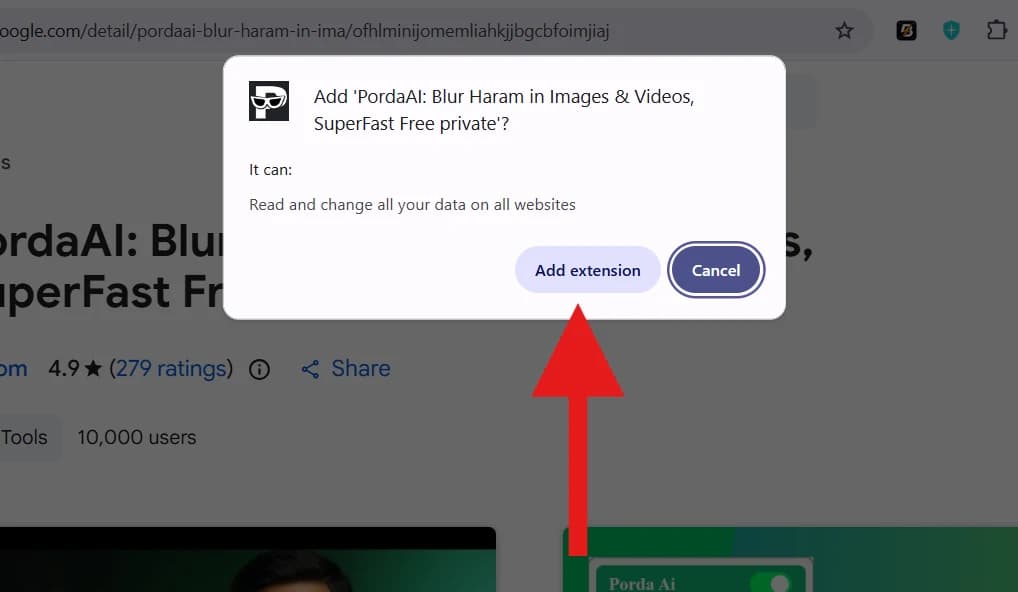
When the browser prompt appears asking for confirmation, click 'Add extension' to finish adding Porda AI.
Porda AI operates 100% locally on your machine with zero data collection.
Pin Extension to Toolbar
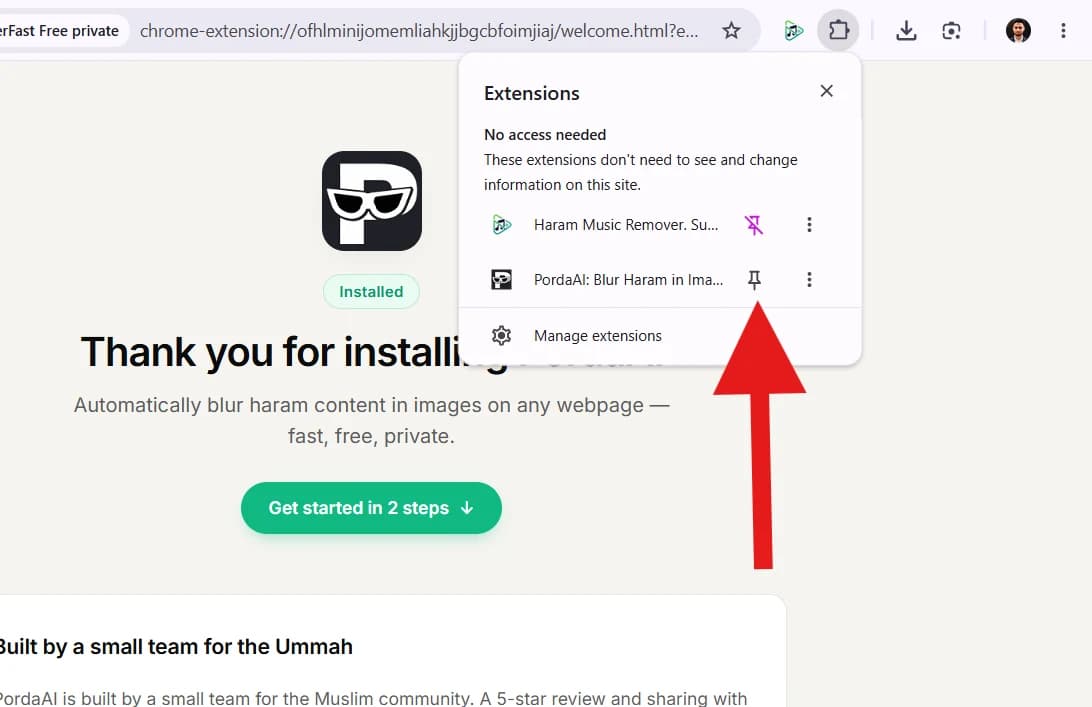
Click the puzzle (extensions) icon in your browser toolbar, find Porda AI, and click the pin icon to keep it visible.
Pinning makes it easy to quickly check protection status anytime.
Open Popup & Check Protection Status
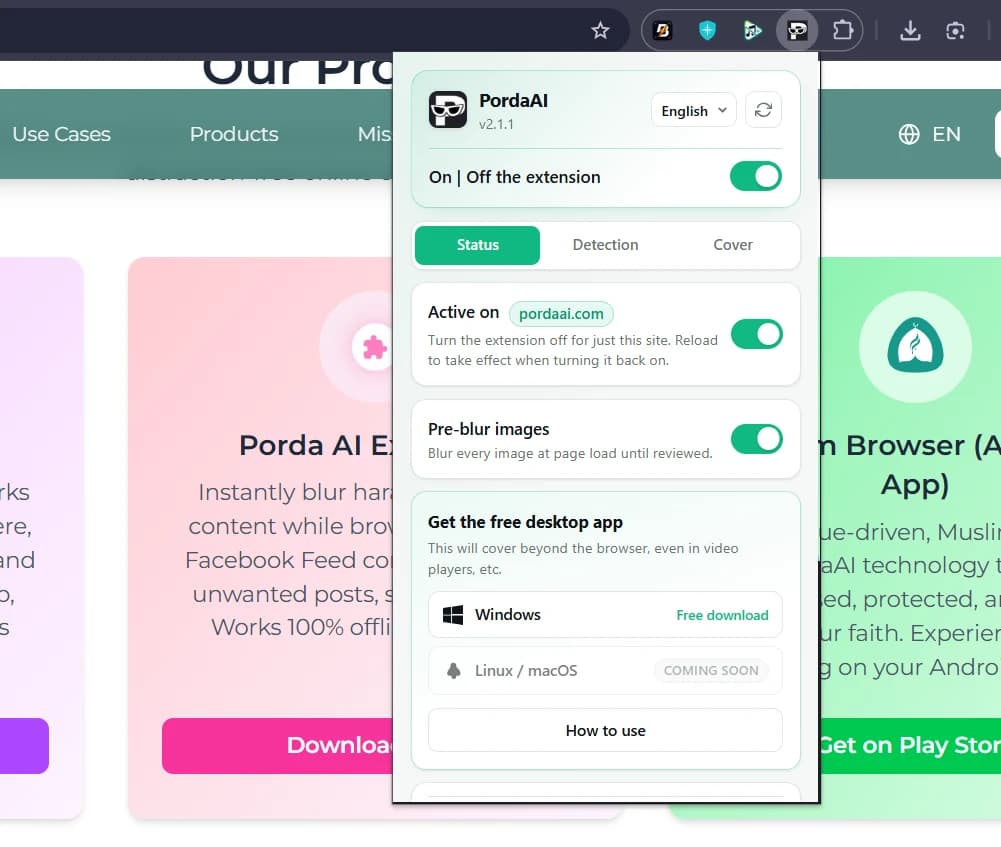
Click the Porda AI icon in your toolbar to open the Status panel. You can toggle global protection ON/OFF, site protection, or pre-blur images.
Toggle protection on or off for specific websites with a single click.
Customize Cover & Masking Style
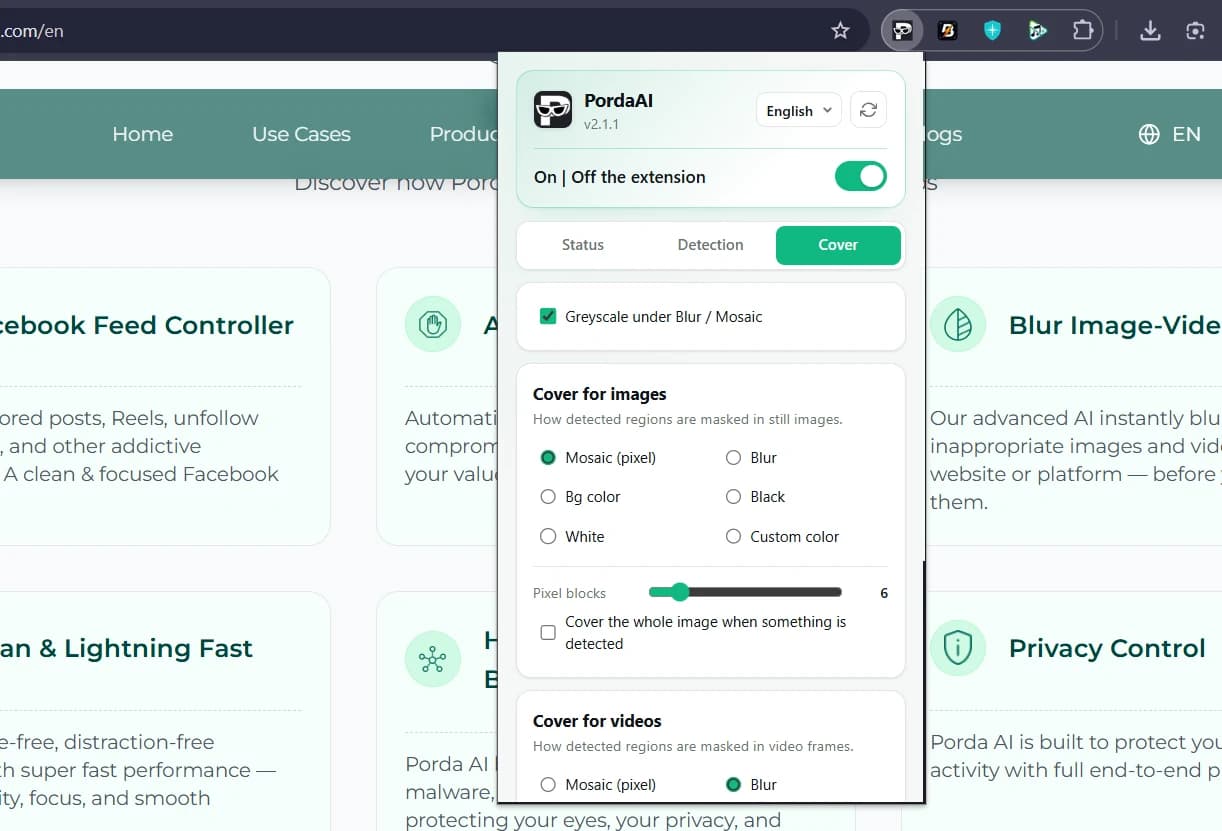
Switch to the Cover tab to select your masking style: Mosaic (pixelated), Blur, Bg color, Solid Black/White, or Custom colors for images & videos.
Choose Mosaic or Blur based on your viewing comfort.
Active Protection & Detection Settings
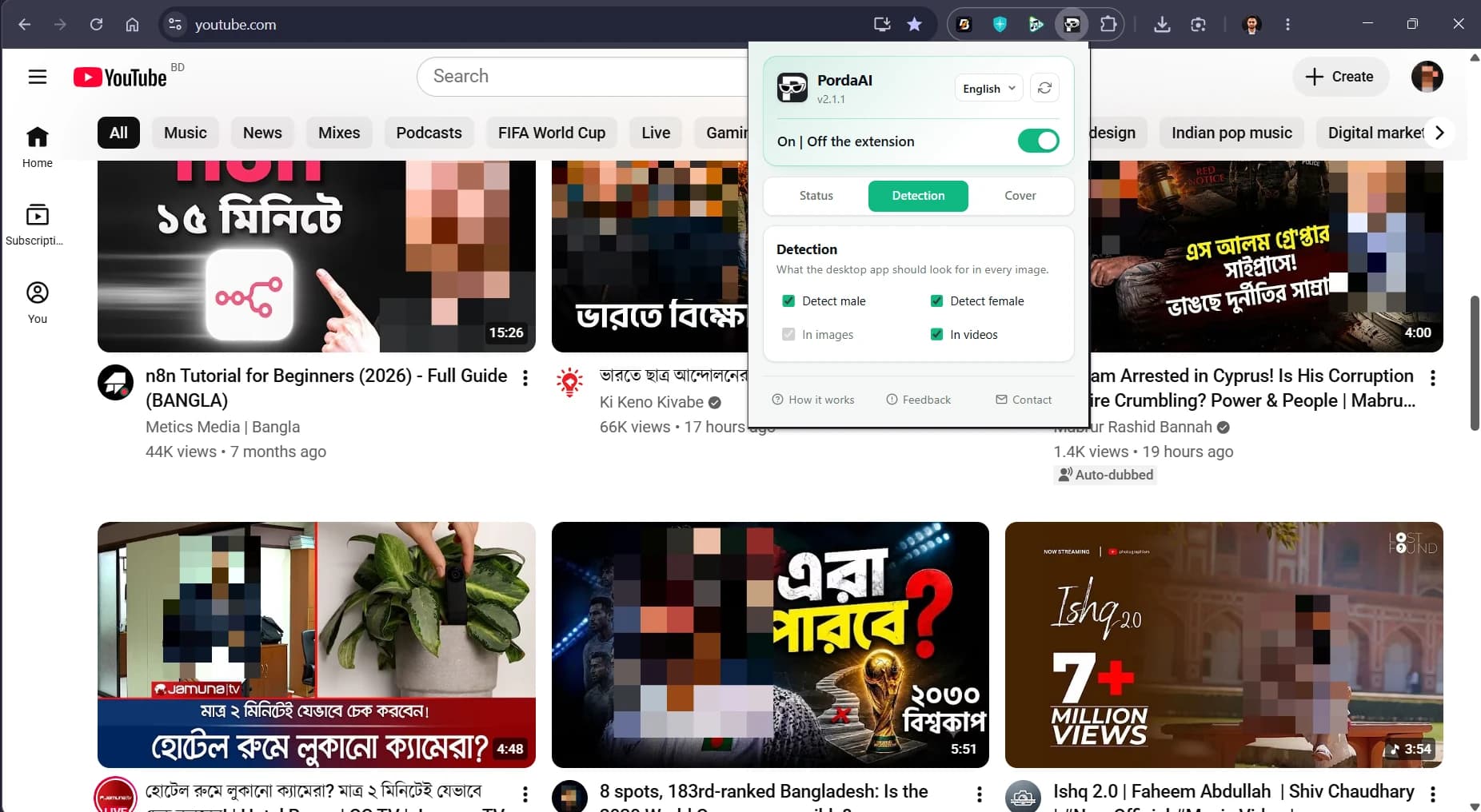
Porda AI will automatically blur haram and NSFW content in real-time on websites like YouTube. Use the Detection tab to filter Male/Female classes in images & videos.
Sit back and browse safely with real-time AI modesty protection!